
Blog
What Is HomeCZ? Internet, Security, and Smart Technology

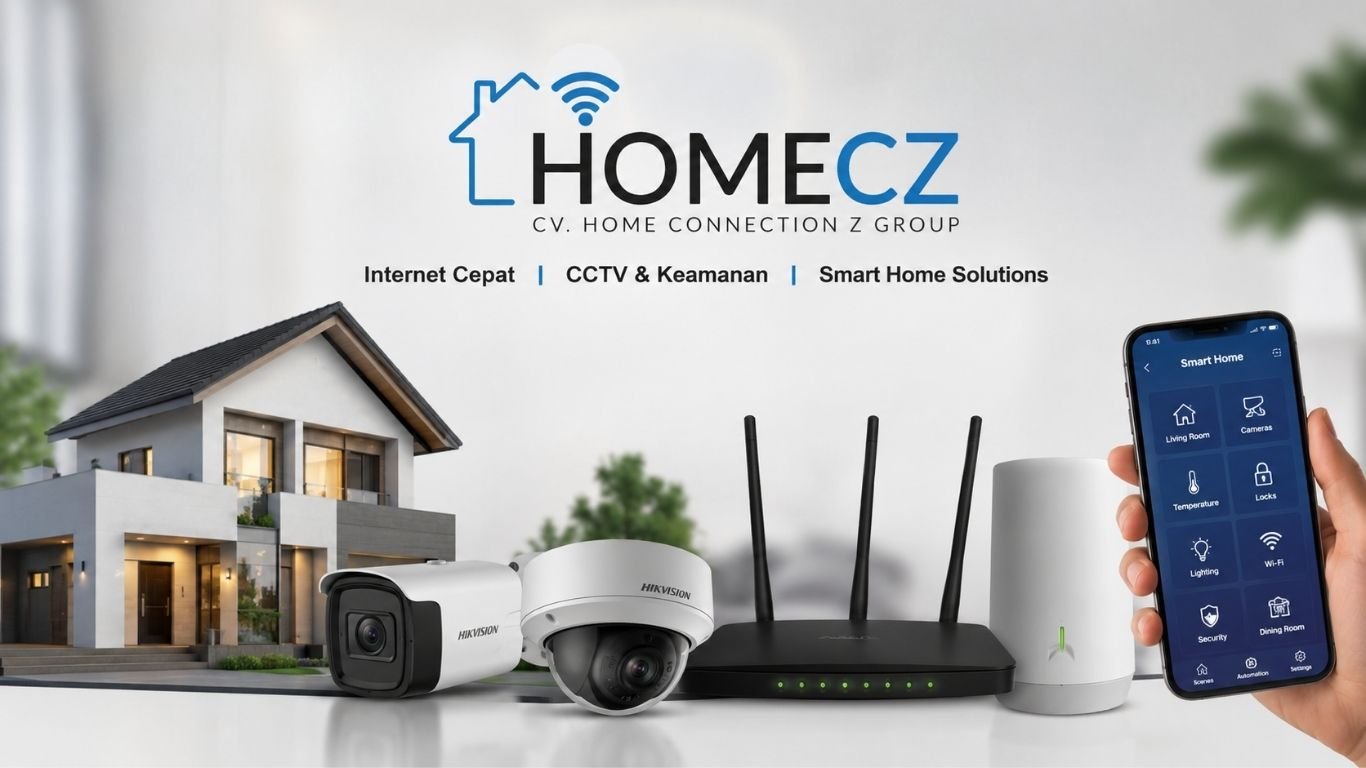
HomeCZ provides digital connectivity and security services for homes and commercial spaces. Its main services include internet connections, professional CCTV installation, and integrated applications. The service profile supplied for this article also connects HomeCZ with smart home planning, including possible Loxone automation projects.
The company operates under the name CV. Home Connection Z Group. Its official website presents HomeCZ as an internet resale service that supports homes, offices, and other business locations. It aims to place several digital services under one provider, making installation and daily system management easier. Is HomeCZ?
HomeCZ is a digital service provider focused on internet access, property security, and connected technology. Its services are designed for people who need stable internet, clear CCTV monitoring, or digital tools for a home or business.
The company’s official service list includes:
- Internet installation and activation
- CCTV supply and professional installation
- Real-time camera monitoring
- Integrated application development
- Digital solutions for residential and business users
HomeCZ describes its goal as providing fast internet, trusted CCTV installation, and integrated applications through one service structure. bined model can be useful for customers who do not want to hire a different contractor for every technical need. One provider may survey the site, install the network, position cameras, test the equipment, and help connect supported systems.
HomeCZ Internet Services
A reliable internet connection is now a basic part of most homes and workplaces. People use it for remote work, online classes, video calls, entertainment, cloud tools, digital payments, and security devices.
HomeCZ offers internet services for residential and commercial locations. Its website states that the connection can support computers, mobile phones, smart televisions, and other connected devices in homes and offices. rnet for Residential Use
A modern household may have many devices connected at the same time. Family members might be watching videos, joining online meetings, playing games, or using smart home equipment.
HomeCZ internet services are intended to provide one network for these daily activities. The exact speed, coverage, equipment, and package availability may depend on the customer’s location and technical survey.
Before installation, customers should ask about:
- Available internet packages
- Expected upload and download speeds
- Installation charges
- Router specifications
- Monthly data limits
- Technical support
- Coverage in their area
Clear answers can help customers select a plan that matches their actual usage rather than paying for capacity they do not need.
Internet for Offices and Businesses
Business internet must support more than casual browsing. Staff may need stable access for customer records, email, video meetings, cloud software, online sales, and CCTV monitoring.
A connection problem can slow down daily work. It may also affect payment systems or remote camera access.
HomeCZ promotes internet service for both homes and offices. Its website describes the service as suitable for work, study, entertainment, and multiple connected devices. al customers should discuss the number of users, expected traffic, office size, camera systems, and backup needs before choosing a package.
How the HomeCZ Internet Installation Process Works
HomeCZ presents a four-stage internet installation process. It begins with a site survey and ends with a tested, active connection. Survey
The first step is checking the property. A technician reviews local coverage and identifies the equipment needed for installation.
The survey may also help determine where cables, routers, or access points should be placed. Good planning can reduce weak Wi-Fi areas and avoid untidy wiring.
Equipment Installation
After the survey, technicians install the required network equipment. The work should be planned around the property layout and the customer’s main internet needs.
For a larger home or office, one router may not provide complete coverage. Extra access points or a mesh system may be needed.
Network Activation
Once the equipment is installed, the internet connection is activated. The technician then checks whether the network is working correctly.
Testing should include connection stability, device access, Wi-Fi coverage, and basic speed performance.
Final Handover
The final stage is making the network ready for normal use. Customers should receive the Wi-Fi name, password, equipment details, and support information.
They should also change default passwords where possible. This simple step can reduce the risk of unwanted access.
HomeCZ CCTV Installation and Security Services
CCTV can help property owners watch entrances, parking areas, offices, storage rooms, and other important spaces.
HomeCZ offers professional CCTV installation for homes and businesses. Its official service page says installed cameras can be monitored in real time. sional installation involves more than attaching cameras to a wall. The technician must consider viewing angles, lighting, cable routes, recording equipment, internet access, and privacy.
CCTV for Homes
Home CCTV systems are commonly placed near gates, doors, garages, driveways, and shared outdoor areas.
Correct camera placement matters. A camera installed too high may miss useful facial details. One placed too low may be easy to damage. Bright sunlight, dark corners, and rain exposure can also affect image quality.
Before approving an installation, homeowners should confirm:
- The number of cameras
- Indoor or outdoor camera ratings
- Night-vision performance
- Recording quality
- Storage capacity
- Mobile monitoring options
- Backup power requirements
- Warranty and support terms
CCTV for Commercial Properties
Businesses may need cameras at entrances, counters, warehouses, parking areas, and staff-only zones.
The system should match the size and purpose of the property. A small shop may need only a few cameras. A warehouse or office building may require a larger recorder, longer data storage, and controlled access for several users.
Real-time monitoring can help business owners check a site when they are away. However, remote access must be configured securely. Weak passwords and outdated equipment can expose a camera system to unwanted access.
HomeCZ Smart Home Solutions
Smart home technology connects systems such as lighting, climate control, door access, alarms, curtains, and energy monitoring. These systems can then respond to schedules, sensors, or user commands.
According to the service information supplied for this article, HomeCZ may also support smart home planning, including Loxone integrations. Customers should confirm the exact products, installation scope, technical certifications, and support terms directly before ordering.
What Can Smart Home Automation Control?
A well-planned smart home may control several parts of a property through one central system.
Possible functions include:
- Automated lights
- Air-conditioning or heating control
- Smart curtains and blinds
- Door and gate access
- Motion sensors
- Alarm functions
- Energy monitoring
- Water-leak alerts
- Mobile notifications
- Timed routines
The purpose is not simply to add more gadgets. Good automation should reduce repeated tasks and make the property easier to manage.
For example, a “leaving home” routine could turn off selected lights, lower climate use, check doors, and activate security functions. A night routine could close blinds and reduce lighting without requiring several separate actions.
Understanding Loxone Integration
Loxone is a building automation system designed to connect lighting, climate, shading, security, audio, and other functions. Its Miniserver acts as the central control unit.
According to Loxone, core automation is processed locally through the Miniserver. Many functions can continue working even when the internet connection is unavailable. Internet access is mainly needed for features such as remote access, online data, or mobile notifications. al-first structure can be useful for homeowners who do not want every routine to depend on a cloud service.
However, Loxone installation requires careful planning. Wiring, sensors, switches, network equipment, room controls, and automation rules must work together. Customers should confirm that the installer has suitable product knowledge and experience.
HomeCZ customers interested in Loxone should ask:
- Is the installer trained to work with Loxone?
- Which Loxone products will be installed?
- Will the system use wired or wireless components?
- Which features work without internet?
- How will remote access be secured?
- Who will provide future maintenance?
- Can the system be expanded later?
- What documentation will be supplied?
These questions can prevent confusion after installation.
Why Internet, CCTV, and Automation Should Be Planned Together
Internet, cameras, and smart home equipment often share the same digital network. Planning them separately can create problems later.
A weak network may cause slow camera access. Poor router placement can reduce smart device reliability. Too many devices on one basic network may also affect performance.
A combined site plan can identify:
- Camera locations
- Router and access-point positions
- Cable paths
- Equipment storage
- Power requirements
- Backup power needs
- Remote-access rules
- Future expansion areas
This is where a service model like HomeCZ can be practical. Customers can discuss connectivity, security, and digital control within one project rather than treating them as unrelated systems.
HomeCZ Integrated Application Services
The official HomeCZ website also lists application development as part of its digital services. It describes these applications as modern, responsive, and designed around business or personal requirements. rated application may be used for internal business work, customer access, service management, or selected connected systems.
Before ordering an application, the customer should define the main problem it needs to solve. A clear project brief should cover users, features, security, data storage, updates, and technical support.
A useful application does not need dozens of features. It needs a clear purpose and a simple user experience.
Benefits of Choosing HomeCZ
HomeCZ brings several connected services into one business model.
One Provider for Several Systems
Customers may be able to arrange internet, CCTV, and digital application work through one company. Smart home work may also be discussed depending on the project and available technical support.
Site-Based Planning
The company’s internet process begins with a location survey. This helps the technicians understand coverage and equipment needs before installation. dential and Commercial Support
HomeCZ markets its services to both household and business users. This makes it relevant to homes, shops, offices, and other connected properties.
Real-Time CCTV Monitoring
The CCTV service includes systems that can be viewed in real time. This can help owners check important spaces while they are away. ndable Digital Setup
A customer may begin with internet service and later add cameras, applications, or automation. Expansion will depend on system compatibility and the property’s technical design.
What to Check Before Hiring HomeCZ
Customers should request a written project description before installation begins.
The document should explain:
- Equipment models
- Internet package details
- Installation work
- CCTV resolution and storage
- Smart home features
- App development scope
- Warranty coverage
- Support arrangements
- Total price
- Completion schedule
Do not rely only on broad terms such as “high speed,” “smart,” or “secure.” Ask what each term means for the actual project.
For CCTV, request camera and recorder model numbers. For internet, ask about the expected speed and service limits. For automation, request a list of every controlled system and sensor.
HomeCZ Location and Contact Details
The official HomeCZ website lists the business in the Babelan area of Bekasi, Indonesia. It provides a customer service email, WhatsApp contact, and weekday operating hours from 9:00 a.m. to 6:00 p.m. Western Indonesian Time. Customers should verify current availability before visiting or arranging an installation. meCZ Worth Considering?
HomeCZ may be worth considering for customers who want internet connectivity, CCTV installation, and other digital services from one provider.
Its official website clearly lists internet, CCTV, and application services. Smart home and Loxone work should be discussed directly because the current public service pages do not name Loxone or describe a fixed automation package.
The best choice depends on the customer’s location, budget, property size, equipment needs, and required level of support.
A detailed site survey and written proposal should come before any final decision.
Final Thoughts
HomeCZ focuses on the systems that keep a modern property connected and easier to manage. Its core public services include internet installation, CCTV security, and integrated applications.
The smart home services described in the supplied company profile can add another layer of control. Lighting, climate, access, cameras, and safety functions may work together instead of operating as separate tools.
But planning matters. Customers should confirm compatibility, security, installer experience, equipment quality, and long-term support.
With the right design, HomeCZ services can help turn a basic home or workplace into a more connected, secure, and efficient space.
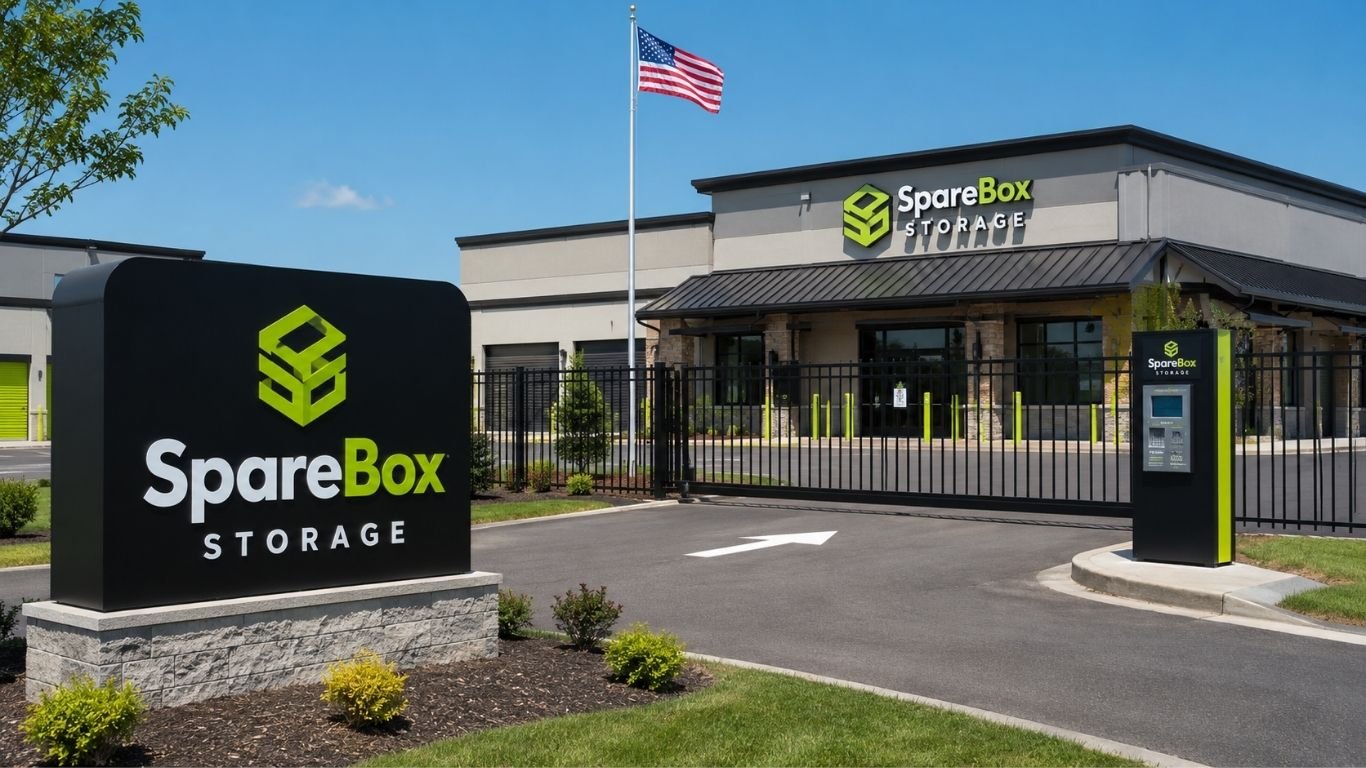
SpareBox Storage gives renters a fast way to find and manage extra space. The company uses online tools, on-site kiosks, and remote support instead of a full-time office at each site. This setup can help people rent a unit, get a gate code, and make payments without waiting for a manager.
The brand began in August 2020. It now offers units at more than 100 facilities across nine U.S. states. Its model is built around simple access, digital account tools, and flexible storage choices.
What Is SpareBox Storage?
SpareBox Storage is a self-service storage company with remotely managed sites. There is usually no resident manager in a front office. Instead, renters can use the website, a mobile-friendly account page, or a kiosk at the property.
You can search by city or ZIP code, compare open units, sign a lease, and receive access details. Phone support is also available when an issue cannot be handled online.
The company operates in Arkansas, Florida, Georgia, Michigan, New Hampshire, Ohio, Oklahoma, South Carolina, and Texas.
How the Contactless Rental Process Works?
The rental process at SpareBox Storage starts with a location search. After choosing a facility, you can view unit sizes, features, and current prices. You then select a unit, enter your details, sign the lease, and pay online.
At many sites, an on-site kiosk offers the same basic steps. It can help a renter choose a unit, complete the lease, pay, and receive a gate code. This is useful after normal office hours or when space is needed fast.
The system cuts down on forms and meetings. Still, read the full lease. Check the billing date, access hours, late fees, insurance rules, and move-out terms.
Storage Unit Types and Sizes
SpareBox Storage facilities may offer standard drive-up units, indoor units, and climate-controlled spaces. Exact choices differ by property.
Drive-up units are easy to load because a car or truck can park near the door. They work well for boxes, tools, outdoor gear, and large home items. Indoor units may offer more shelter during rain or snow.
Climate-controlled units are often kept within a broad temperature range. The company says these spaces typically stay between 55 and 85 degrees Fahrenheit. They are designed to reduce exposure to harsh heat and freezing cold.
The size guide can help renters avoid paying for too much space. A small unit may hold boxes and seasonal items. A larger unit may suit furniture, business stock, or equipment.
Climate-Controlled Space for Sensitive Items
SpareBox Storage climate-controlled units may be a better fit for items that react badly to heat or cold. Wood furniture can bend or crack. Photos may fade. Some fabrics, records, books, and electronics can also suffer in harsh weather.
Climate control does not mean every site offers the same system. It may control temperature without holding one exact setting all day. Ask what the facility provides before storing costly goods.
Good packing still matters. Use firm boxes or sealed plastic bins. Keep items off the bare floor when possible. Do not pack damp goods. A controlled unit can lower risk, but it cannot fix poor packing.
RV, Boat, Trailer, and Vehicle Parking
Some SpareBox Storage locations offer parking for RVs, boats, cars, motorcycles, and trailers. Options may include open outdoor spaces, covered parking, or enclosed areas. Space length, roof height, and access vary by site.
Vehicle renters must provide proof of ownership and insurance. The company asks for documents such as a driver’s license, registration, and insurance page.
Measure the full length and height before booking. Include mirrors, racks, hitches, ladders, and covers. A space that looks large online may still be too tight.
Security and Gate Access
SpareBox Storage promotes gated and monitored storage. Many properties use electronic gate access, lighting, and other security features. The exact setup is not the same at every location.
A gate code controls entry, but renters still need a good lock. Choose one made for storage doors. Keep the code private.
No storage property can remove every risk. Make a list of stored items and take photos before move-in. Keep receipts for high-value goods. These steps can help with an insurance claim.
Insurance Rules Renters Should Know
SpareBox Storage requires tenants to have insurance or an approved protection plan for the contents of a unit. Renters may buy coverage through the rental process or show proof of their own policy.
Do not assume a home policy covers everything. Some policies limit off-site storage claims. Others may exclude floods, pests, mold, or certain valuables. Ask what is covered and what deductible applies.
Keep a copy of your proof of coverage. Vehicle storage also needs proof of insurance and ownership.
Online Payments and Account Management
A SpareBox Storage account can be used to make payments, update details, and set up automatic billing. Customers can also make a guest payment by entering the email linked to the account.
The company accepts electronic payment methods, including card payments and ACH. It does not accept cash or checks. Auto pay can be set up through the website, kiosk, or phone support.
Auto pay can lower the chance of a late payment, but check each bill. Storage rates can change. The company says rates are not fixed for the full lease and that notice is sent before a change.
Moving In and Moving Out
Moving into SpareBox Storage is easier when boxes are labeled by room or item type. Put heavy boxes on the bottom. Keep often-used things near the front. Leave a narrow path through large units.
The leases are month to month. To move out, the unit must be empty and clean. Customers can report a move-out through the online account, kiosk, phone, or email. The company does not require a standard 30-day notice, but it does not give a prorated refund for leaving during a billing cycle.
Take final photos after cleaning. Remove the lock and keep any message that confirms the request.
Where SpareBox Storage Has Locations
SpareBox Storage has sites in nine states: Arkansas, Florida, Georgia, Michigan, New Hampshire, Ohio, Oklahoma, South Carolina, and Texas. The website lets users search by city or ZIP code.
Official property pages show facilities in markets such as Conway, South Carolina; Enid, Oklahoma; Rogers, Arkansas; Lorena, Texas; and Amherst, New Hampshire. The network includes both busy city areas and smaller communities.
Features vary by property. One site may offer climate control and parking, while another may focus on drive-up units. Open the exact location page before booking.
Customer Service and Common Support Needs
SpareBox Storage lists 833-777-7273 for immediate rental help. Customers can call about payments, access, rentals, maintenance, or a lock-cut appointment. General requests can also be sent through the contact form.
Because the sites are contactless, help may not be waiting at the property. Plan ahead when you need physical service. A gate issue may be handled remotely, but a damaged door or lock cut may need an appointment.
Before calling, have the facility address, unit number, account email, and a clear note about the problem.
Is SpareBox Storage a Good Choice?
SpareBox Storage may suit renters who value online service, quick rentals, and less paperwork. It can also work for people who need drive-up access, climate control, or vehicle parking.
The contactless model will not suit everyone. Some renters prefer to tour a unit with an on-site manager or pay in cash. Others may want a fixed long-term rate. Prices, access hours, offers, and features can change by facility.
Compare the full monthly cost, not only the first offer shown. Review the unit size, admin fees, insurance charge, access hours, and rate-change terms. Then compare nearby sites.
For many renters, SpareBox Storage offers a practical way to secure extra room. Its digital tools make the rental process fast, while its unit and parking choices cover many common needs. The best result comes from choosing the right site, reading the lease, and packing with care.
Conclusion
SpareBox Storage offers a simple way to rent and manage extra space without a traditional office visit. Its online rental tools, on-site kiosks, gated access, and digital payment options can save time for renters who prefer self-service.
The company also offers several storage choices, including drive-up units, climate-controlled spaces, and vehicle parking at selected sites. Features, prices, and access hours can differ by location, so renters should review the exact facility page before booking.
SpareBox Storage may be a good fit for people who want quick access, online account control, and a contactless rental process. Reading the lease, checking insurance terms, and choosing the correct unit size can help avoid added costs later.

Lufanest is a digital system, a green living model, or a way to protect shared culture. Instead, writers use it as a flexible idea for safe, smart, and connected spaces.
Yet it has also caused confusion. Some pages present it as software. Others treat it as a social idea. This guide explains its main uses.
What Is Lufanest?
Lufanest is best viewed as an internet-made concept. It does not yet have one fixed definition, legal standard, or known scientific model. Current web pages often link it with adaptive systems and digital identity.
The basic idea is easy to understand. A useful space should feel safe like a nest, but it should also change when people’s needs change. That space may be an app, a home, a work system, or a local group.
Because the term is broad, its meaning depends on the source. Readers should check how each writer defines it before treating any claim as fact.
Where Did the Lufanest Idea Come From?
There is no confirmed historic source for the word. It appears to be a modern name shaped by online publishing and brand-style language. One recent explanation even describes it as a newly created concept word rather than a term drawn from an old culture. lf of the name, “nest,” gives the clearest clue. A nest suggests shelter, order, growth, and care. The first half has no widely accepted meaning. Some writers link it with flow, life, or fresh ideas. But those readings are creative, not official.
So the name works more like a blank label. People can attach it to many fields while keeping the same broad theme of safe growth.
Lufanest in Digital Identity
In digital spaces, Lufanest can describe a system that changes around the user. It may learn basic choices, adjust a screen, sort tools, or build a more personal online profile.
A simple example is a learning app. A new user may see basic lessons. A skilled user may see harder tasks. Both use one platform, but each gets a different path.
This idea also raises privacy concerns. A smart system needs data to adapt. Users should know what data is collected, why it is needed, and who can view it. Good digital identity design gives people control rather than hiding key choices.
How Lufanest Fits Adaptive Software?
Adaptive software responds to behavior, settings, or changing conditions. In that sense, Lufanest can act as a design frame for software that stays useful without feeling hard to control.
A work dashboard offers a clear example. It may place urgent tasks first. It may also hide unused tools and suggest the next step. A health app may change reminders based on sleep, movement, or a user’s own goals.
But smart does not always mean better. Too much automation can make a system confusing. A strong design should let people undo changes, turn off features, and choose a simple mode.
The goal is not to predict every action. It is to reduce effort while keeping the user in charge.
Lufanest and Sustainable Living
Some lifestyle and design writers use Lufanest for low-waste living. In this form, the concept joins comfort with careful use of energy, water, space, and materials.
A home based on this idea might use natural light and strong insulation. It may store rainwater and allow easy repairs. It may also include shared rooms or flexible furniture so one area can serve more than one purpose.
It is better understood as a loose planning idea. It asks a simple question: can a space support daily life without using more resources than needed?
That question can guide homes, offices, schools, and public spaces.
Smart Homes Through a Lufanest Lens
A smart home should do more than collect gadgets. It should make life calmer, safer, and easier. The Lufanest view puts human needs before devices.
Lights may dim at night. Cooling may slow when a room is empty. A leak sensor may warn the owner before major damage starts. These features can save time and cut waste.
Still, every connected device adds a security risk. Owners need strong passwords, regular updates, and clear privacy settings. A device that saves a little power is not helpful if it exposes private data.
Good smart design stays quiet. It helps when needed and steps back when it is not.
Cultural Meaning of Lufanest
On some community sites, Lufanest is used as a symbol for shared values. It may also point to customs passed down over time. It may point to stories, local art, family practices, food, music, or public events that hold a group together.
This use should be handled with care. There is no strong evidence that the word names one established cultural tradition. It is safer to say that some online writers use it as a modern label for cultural connection.
Digital tools can help communities record oral histories, scan old documents, and share local knowledge. Research on cultural identity says digital tools can aid preservation. But local meaning may fade when content is removed from its setting. o own a tradition should guide how it is recorded and shared.
Key Values Behind Lufanest
The concept often rests on a few clear values. The first is safety. People need spaces where they can learn, work, or connect without needless harm.
The second is flexibility. A useful system should respond to new needs without forcing everyone into the same pattern.
The third is balance. Technology, comfort, culture, and nature should support each other. One should not destroy the others.
These values are broad. That can help or hurt. They make the idea easy to use. But they also allow weak claims. A company may use the term in its marketing without showing real change.
Clear goals and proof matter more than a fashionable label.
Benefits and Limits of the Concept
Lufanest can help teams think across normal borders. A designer may consider privacy. A software builder may think about comfort. A community group may explore digital tools without giving up local control.
The idea can also help with early planning. It gives people a shared way to discuss safety, growth, care, and change before they choose exact tools.
Yet the limits are real. The term has no common test, rulebook, or trusted body behind it. Two writers may use the same word for very different things. That makes direct comparison hard.
Readers should focus on the real plan. What problem does it solve? Who benefits? What data does it use? What harm could it cause? These questions expose empty claims fast.
How Businesses May Use It
A business could use the concept when it designs a service or product. It may also apply it to an office or public message. But the name alone has little value. The work must match the promise.
For a digital product, that may mean simple controls, clear data rules, and features that adjust without taking over. For a property project, it may mean lower energy use, flexible rooms, and materials that last.
A brand may also build a community around shared learning or local action. In that case, leaders should give members a real voice. They should not use culture as decoration.
Lufanest works best as a planning question, not as a claim of instant quality.
What the Future May Hold
The term may remain a broad online idea. It may also become a brand name, a design method, or a label for new digital services. Its future depends on how clearly people define and apply it.
Adaptive software and smart buildings keep gaining notice. So do digital identity and cultural preservation. These themes may stay linked. That gives the concept room to grow. But growth will also bring more vague pages and sales claims.
The best use of Lufanest will be practical. It should help people create systems that are safe, flexible, useful, and less wasteful. If it cannot show those results, the word adds little.
Final Thoughts
Lufanest does not have one settled meaning. It is a flexible online term used across technology, sustainable living, smart design, and cultural discussion.
That flexibility can inspire new ideas. It can also mislead readers when a page presents opinion as fact. The safest approach is to check the source, ask for clear proof, and study the real system behind the name.
Used with care, the concept offers a useful goal: build spaces that protect people, adapt to change, and support long-term growth.

Hospitals do far more than treat patients. They buy drugs, manage staff, track care results, plan new sites, and control rising costs. Each task needs good data and strong buying power.
Vizient works behind many of these choices. It links supply contracts, clinical data, and expert advice in one system. The company does not run hospitals. It helps leaders see where money goes, where care varies, and where action may help.
The firm is based in Irving, Texas. Its scale gives it a major role in U.S. healthcare, though much of its work stays unseen by patients.
What Vizient Is?
Vizient is a healthcare performance improvement company. It serves hospitals, health systems, academic medical centers, and other care sites. Its work covers supply spending, clinical quality, finance, strategy, pharmacy, and staff planning.
The company says 69% of U.S. acute care hospitals work with it. It also works with 97% of academic medical centers. A large network gives hospitals a wider view of prices, care results, and operating trends.
Its model rests on one idea. A hospital can make better choices when it can compare itself with many peers.
How the Group Purchasing Model Works?
A group purchasing organization, or GPO, joins the buying power of many members. It then seeks contracts with drug makers, device firms, food vendors, software firms, and other suppliers.
A single hospital may lack leverage in a large deal. A group can bring far more volume to the table. That can lead to lower prices, clearer terms, and fewer separate contracts.
Vizient operates the largest healthcare GPO in the country. Its contract portfolio represented $156 billion in annual buying volume in early 2026.
Savings may depend on the product, contract tier, and level of member use. A hospital that follows a set contract plan may gain a better rate than one that buys only a small share through it.
Why Supply Chain Data Matters?
Low prices alone do not fix hospital costs. Leaders also need to know what they buy, how often they buy it, and whether teams use the same items.
Vizient reports $390 billion in annual supply and pharmacy spend under management. This is not the same as contract volume. It refers to wider spend data used for analysis and support.
This data can reveal price gaps, too many vendors, repeat orders, or heavy use of costly items. A health system may learn that five hospitals buy the same product at five different rates.
The cheapest item is not always the best choice. Safety, staff skill, supply risk, and patient need still matter. The aim is to cut waste without harming care.
The Role of the Clinical Data Base
The Clinical Data Base, often called the CDB, tracks care results and resource use. Hospitals can compare their work with similar sites.
The data covers death rates, length of stay, readmission, complications, patient safety, and hospital-acquired conditions. It can also help teams spot gaps in cost and quality.
A fair comparison needs risk adjustment. A hospital that treats very sick patients should not be judged like a site with simpler cases.
Recent reports say the database receives data from more than 1,300 hospitals. It also receives records tied to more than 14 million inpatients and 200 million outpatients each year.
How Benchmarking Can Improve Care?
Benchmarking gives a hospital a clear point of reference. A team can see whether its results are better or worse than peers with a similar case mix.
Suppose one unit has a high readmission rate. The data may show where the gap starts. Staff can then review discharge plans, follow-up calls, drug checks, or access to home care.
The same method can find variation in surgery, pharmacy use, and length of stay. It may show that one doctor uses a costly device more often, even when results are similar.
Vizient also brings providers together through workshops, surveys, and improvement groups. The company said it convened 12 such performance programs each year in 2025.
Hospital Rankings and Accountability
Many hospitals use yearly quality rankings as an outside check. These rankings can affect board talks, staff goals, and public trust.
The scoring may review safety, death rates, care results, equity, and resource use. Academic medical centers often pay close attention because they treat complex cases and train future clinicians.
Still, a ranking should not become the only goal. A score can point to a problem, but it cannot explain every local cause. Leaders must read the data with context.
The best use of a ranking is practical. It should lead to a focused question, a clear test, and a change that staff can measure.
Pharmacy Services and Drug Costs
Drug costs can shift fast. New specialty drugs, shortages, and new uses for older drugs can all raise spending.
Vizient supports pharmacy teams with contracts, market outlooks, analytics, and supply tools. Its pharmacy data helps hospitals study price changes and use patterns. The company also offers private-label and supply support programs for some drugs.
A pharmacy leader may use this information to plan a budget or compare drug choices. It can also help a system prepare for a shortage.
But price is only one part of the choice. Hospitals must also weigh safety, stock levels, clinical need, and whether a drug has a sound substitute.
Advisory Services and Kaufman Hall
Hospitals face choices that go far beyond supplies. They may need to merge, build a new center, cut debt, or shift more care to outpatient sites.
The company expanded its advisory reach when it acquired Kaufman Hall in 2024. The deal added deeper work in finance, strategy, operations, and clinical performance.
Kaufman Hall advisers work on mergers, partnerships, growth plans, cost cuts, and capital needs. Other teams help leaders study service demand and local market change.
This work can shape choices that last for years. A poor forecast may lead to an empty building. A good one may place care closer to the people who need it.
Workforce and Daily Operations
Labor is one of the largest costs in healthcare. It is also one of the hardest areas to manage.
A hospital may have open nursing roles while another unit has weak shift use. Leaders must study demand, skill mix, overtime, staff loss, and patient flow at the same time.
Vizient offers workforce and operating support that links data with expert advice. The goal is not just to cut headcount. It is to place the right staff where patient need is highest.
Good workforce planning can reduce delays and staff strain. Poor planning can raise overtime, slow discharge, and leave beds closed.
Strategic Growth and Outpatient Care
Care is moving beyond the main hospital building. More tests, surgery, cancer care, and follow-up services now happen in outpatient sites.
Health systems need to know which services will grow and where patients live. Sg2, a Vizient company, provides market forecasts by service line and place. Its models study how patients may use inpatient and outpatient care over the next decade.
This can guide plans for clinics, joint ventures, and new service lines. It can also warn leaders when a large building plan may not match future demand.
Forecasts are not facts. They work best when leaders pair them with local data and update them often.
Benefits and Limits for Hospitals
The main benefit is scale. Hospitals gain access to broad price data, peer results, and expert support that would be hard to build alone.
Another benefit is speed. A system can start with tested contracts, common measures, and known methods instead of building each tool from zero.
Yet there are limits. A national benchmark may miss local needs. A lower-cost product may not suit every care team. A contract can save money only when staff use it well.
Hospitals must still make the final call. They need strong internal leaders, clean data, and close work with doctors, nurses, and finance teams. Outside tools can guide the choice, but they cannot own it.
Bottom Line
Vizient sits in a rare place within U.S. healthcare. It has buying scale, a large clinical data base, and a wide advisory arm.
Its value comes from linking cost and care. A cheap supply choice means little if it harms results. Better care also becomes hard to sustain when waste drains the budget.
For hospitals, the real test is simple. Data must lead to a useful choice. Contracts must lead to real savings. And advice must fit the patients, staff, and market of each health system.
FAQs
What is Vizient?
Vizient is a healthcare performance improvement company. It helps hospitals manage supply costs, compare clinical results, improve daily operations, and plan future growth.
How does Vizient help hospitals save money?
The company combines the buying power of many healthcare providers. This allows hospitals to access negotiated contracts for medical supplies, drugs, technology, food services, and other business needs.
What is the Vizient Clinical Data Base?
The Clinical Data Base is a large healthcare benchmarking system. It helps hospitals compare patient outcomes, safety results, readmission rates, length of stay, and treatment costs with similar organizations.
Does Vizient provide pharmacy services?
Yes. Vizient supports pharmacy teams with drug contracts, spending data, market forecasts, shortage planning, and purchasing strategies. These services help hospitals manage rising medication costs.
Who uses Vizient services?
Vizient works with acute care hospitals, academic medical centers, health systems, outpatient facilities, pharmacy teams, and healthcare executives across the United States.

What Is droven. io? A Simple Guide to AI, Automation, and Modern Tech

Is SpareBox Storage Worth It? A Complete Customer Guide

What Is Lufanest? A Guide to Its Digital and Sustainable Meaning

Merfez Meaning: A Guide to Simpler, Warmer, and More Intentional Living

What Is the IP2 Network? A Complete Guide

What Is a Serumcu? Uses, Risks, Safety, and Medical Facts
-
 Blog3 months ago
Merfez Meaning: A Guide to Simpler, Warmer, and More Intentional Living
-
 Technology3 months ago
What Is the IP2 Network? A Complete Guide
-
 Blog3 months ago
What Is a Serumcu? Uses, Risks, Safety, and Medical Facts
-

 Technology2 months ago
What Is a Tracqueur? Uses, Types, Benefits, and Safety
-

 Blog2 months ago
Why AI Transformation Is a Problem of Governance for Modern Businesses
-

 Blog2 months ago
Sosoactive: A Complete Guide to the Digital Media Platform
-

 Blog2 months ago
Troozer Com: What It Is, How It Works, and Is It Safe?
-

 Blog3 months ago
What Is Nerwey? A Complete Norway Seasonal Travel Planning Guide